一、服务器端口ssh转发
场景:轻量云服务器(FRP服务端) → 中转 → 实验室Ubuntu游戏本(FRP客户端),实现MacBook外网SSH/IDEA远程开发
核心:复用现有FRP隧道,转发游戏本22(SSH)端口 → 云服务器6022端口
1、核心架构
- 云服务器:运行
frps服务端(已部署,无需修改) - 游戏本(Ubuntu):运行
frpc客户端,转发SSH 22端口 - MacBook:通过
云服务器IP:6022直接SSH连接游戏本
2、游戏本 frpc.toml 配置(追加SSH转发)
# 已有的NoMachine/Dify配置保留,末尾追加以下内容
[[proxies]]
name = "ssh-remote"
type = "tcp"
localIP = "127.0.0.1"
localPort = 22        # 游戏本SSH默认端口
remotePort = 6022     # 云服务器对外暴露端口(自定义)
游戏本 frpc 重启命令
# 杀死旧进程
pkill -f frpc
# 启动客户端
./frpc -c frpc.toml
# 出现 [ssh-remote] start proxy success 即为成功
3、游戏本 Ubuntu SSH 服务安装(必做)
# 安装SSH服务
sudo apt update && sudo apt install openssh-server -y
# 启动并开机自启
sudo systemctl start ssh
sudo systemctl enable ssh
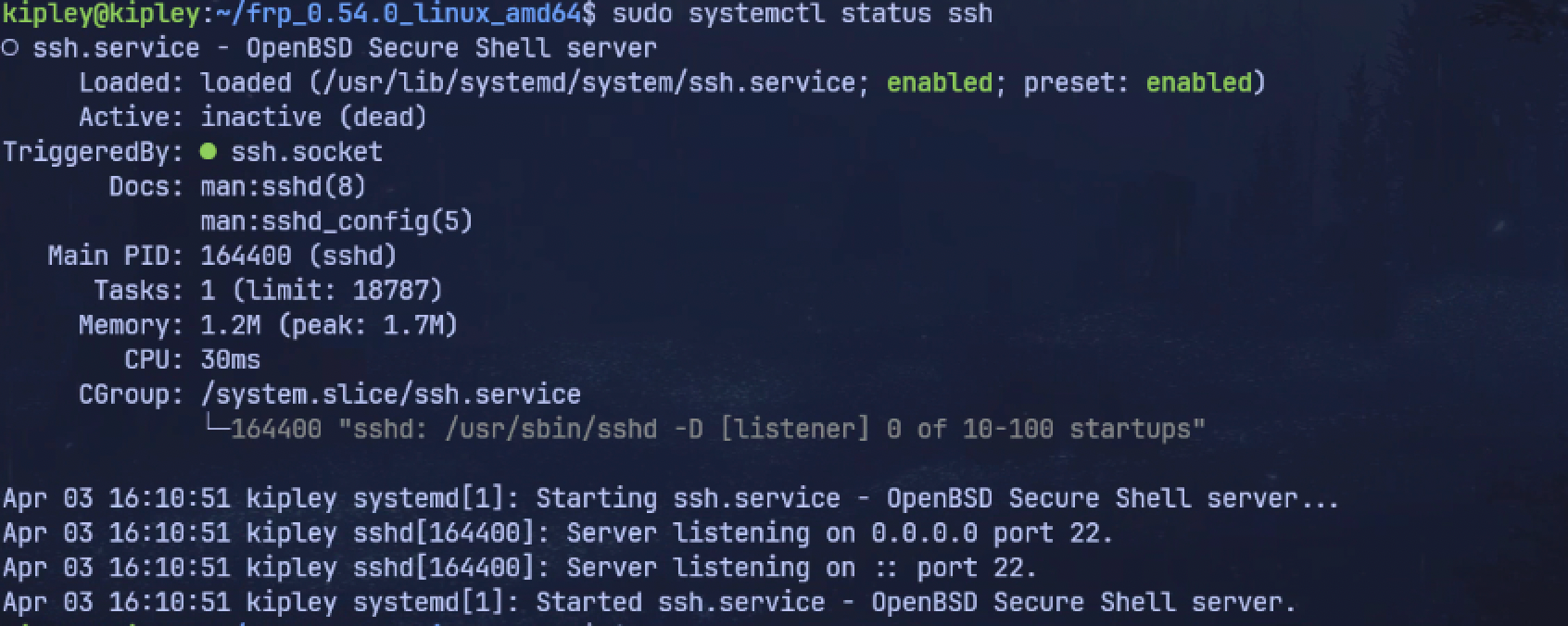
# 验证状态(显示active(running)为正常)
sudo systemctl status ssh
# 本地测试SSH
ssh 127.0.0.1
4、MacBook ~/.ssh/config 完整配置(整合你的现有配置)
# VPS 中继主机
Host JD-server-tunnel
    HostName 117.72.201.198
    User tunnel
    Port 22022
    # IdentityFile ~/.ssh/id_ed25519   # 如果用了特定密钥可加这行

Host JD-server
    HostName 117.72.201.198
    User root
    Port 22022
    IdentityFile ~/.ssh/id_ed25519

Host tecent-server
    HostName 162.14.77.140
    User ubuntu
    Port 22
    IdentityFile ~/.ssh/id_ed25519
    ServerAliveInterval 60
    ServerAliveCountMax 3

# ===================== 新增:FRP穿透直连游戏本 =====================
Host gamepc
    HostName 162.14.77.140  # 腾讯云服务器公网IP
    User kipley             # 游戏本Ubuntu用户名
    Port 6022               # FRP转发端口
    ServerAliveInterval 60
    ServerAliveCountMax 3
# ================================================================

Host vultr-server
    HostName 66.42.63.252
    User linuxuser
    IdentityFile ~/.ssh/id_ed25519
    ServerAliveInterval 60
    ServerAliveCountMax 3

# 实验室服务器
Host lab-server
    HostName 121.48.163.69
    Port 45618
    User root
    RemoteCommand cd /root/Documents/code && /bin/bash --login
    IdentityFile ~/.ssh/id_ed25519
    ServerAliveInterval 60
    ServerAliveCountMax 3

5、SSH 连接命令
# 方式1:使用config别名(推荐,一键连接)
ssh gamepc-frp

# 方式2:直接命令连接
ssh kipley@162.14.77.140 -p 6022
6、IDEA 远程开发配置(和VS Code SSH一致)
- 打开IDEA → 左侧
Remote Development→SSH - 配置:
- Host:
162.14.77.140 - Port:
6022 - User:
kipley
- Host:
- 输入游戏本密码 → 选择远程项目目录 → 启动开发
7、常用维护命令
1. 游戏本 FRP 维护
pkill -f frpc  # 强制关闭客户端
./frpc -c frpc.toml  # 启动客户端
sudo systemctl restart frpc #开机重启配置
2. 游戏本 SSH 维护
sudo systemctl restart ssh  # 重启SSH
sudo systemctl status ssh   # 查看SSH状态
sudo ufw allow 22           # 放行22端口
3. 云服务器端口放行
- 安全组开放:
6022(TCP)、7000(TCP)、8080(TCP)
转载请注明来源,欢迎对文章中的引用来源进行考证,欢迎指出任何有错误或不够清晰的表达。可以在下面评论区评论,也可以邮件至 kipleyarch@gmail.com
